Showing posts with label http. Show all posts

Tuesday, October 24, 2017

Prevent a Spoof of an X-Forwarded-For Request with BIG-IP

Last week, we looked at how to do Selective Compression on BIG-IP with a local traffic policy so this week let’s try something security related using the same procedures.

You can associate a BIG-IP local traffic policy to prevent a spoof of an x-forwarded-for request. This is where bad actors might attempt to thwart security by falsifying the IP address in a header, and pass it through the BIG-IP system.

Pre-reqs:
  • We’re using BIG-IP v12 and,
  • We already have a Virtual Server configured to manage HTTP traffic with an HTTP profile assigned to it.
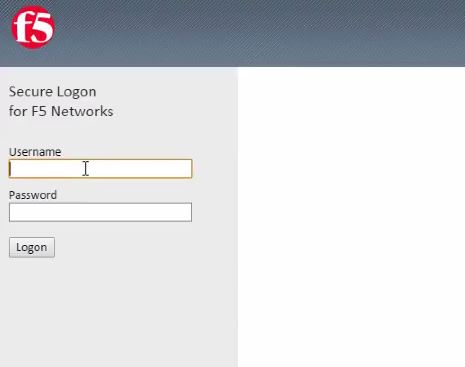
Let’s log into a BIG-IP

The first thing we’ll need to do is create a draft policy. On the main menu select Local Traffic>Policies>Policy List and then the Create or + button.

This takes us to the create policy config screen. Type a unique Policy Name like PreventSpoofOfXFF and optionally, add a description. Leave the Strategy at the default of Execute First matching rule. Click Create Policy.

We’re then directed to the draft policy’s General Properties page and here we can create the rules for the policy. In the Rules area, click Create.

We’ll give the rule a unique name like, StopSpoof and the first condition we need to configure is to match all HTTP traffic with the matching strategy. This means we can use the default setting of All Traffic. Then we’ll tell the policy what to do when the All Traffic condition matches. The new action is to Replace the http header named X-forwarded-for with the value of tcl:[IP::client_addr] (to return the client IP address of the connection) at the request time. Click Save.

Also, save the draft.

And then select the box next to the draft policy and click Publish.

We can now associate the published policy with a virtual server that we’re using to manage http traffic. On the main menu click Local Traffic>Virtual Servers>Virtual Server List and click the name of the virtual server you’d like to associate for the policy.

On the menu bar click Resources and next to Policies click Manage.

Move PreventSpoofOfXFF to the Enabled list and click Finished.

Now, the virtual server with the PreventSpoofOfXFF local traffic policy will prevent any HTTP traffic that attempts to spoof an x-forwarded-for request.

Congrats! You’ve easily added additional security to your local traffic policy! You can also watch the full video demo thanks to our TechPubs team.


ps

Wednesday, September 20, 2017

Lightboard Lessons: What is HTTP?

In this Lightboard Lesson, I light up some #basics about HTTP. HTTP defines the structure of messages between web components such as browser or command line clients, servers like Apache or Nginx, and proxies like the BIG-IP.


ps

Related:

Tuesday, March 21, 2017

Protecting API Access with BIG-IP using OAuth

As more organizations use APIs in their systems, they've become targets for the not-so-good-doers so API Security is something you need to take seriously. Most APIs today use the HTTP protocol so organizations should protect them as they would ordinary web properties.

Starting in v13, BIG-IP APM is able to act as an OAuth Client, OAuth Resource Server and OAuth Authorization Server. In this example, we will show how to use BIG-IP APM to act as an OAuth Resource Server protecting the API.

In our environment, we’ve published an API (api.f5se.com) and we’re trying to get a list of departments in the HR database. The API is not natively protected and we want APM to enable OAuth protection to this API.


First, let’s try an unauthenticated request.

You can see we get the 401 Unauthorized response which is coming from the BIG-IP. In this instance we’re only sending 3 headers, Connection (close), Content Length (0) and WWW Authenticate (Bearer), indicating to the client that it wants Bearer Token authentication.
So we’ll get that authorization and a new access token.

Here the Getpostman.com (Postman toolchain for API developers) is preconfigured to get a new access token from the OAuth authorization server, which is a BIG-IP.

We will request the OAuth token and will need to authenticate to the BIG-IP.

After that, we get an authorization request. In this case, BIG-IP is acting as an Authorization server and is indicating to the resource owner (us) that there is a HR API application that wants to use certain information (about us) that the authorization server is going to provide.
 In this case, it is telling us that the resource server wants to get scope api-email.

We’ll click Authorize and now we have our auth token and is saved in the Postman client.

Within the token properties we see that it expires in 300 seconds, it is a Bearer token and the scope is api-email and we get a refresh token as well.

Now we can add this token to the header and try to make a request again. And this time, we get a much better response.

We get a 200 OK, along with the headers of the application server. We’ll click on the Body tab within Postman, we’ll see the XML that the API has returned in response to the query for the list of departments that are available. There were no cookies being returned by the server if you were wondering about that tab. In the Headers tab we see the Authorization header that was being sent and the content of the Bearer token.

A simple way to easily protect your APIs leveraging OAuth 2.0 Resource Server capabilities in BIG-IP.

Special thanks to Michael Koyfman for the basis of the content and check out his full demo here.

ps

Related:

Wednesday, June 25, 2014

Velocity 2014 – HTTP 2.0 Gateway

Dawn Parzych, F5 Sr. Product Manager, talks about the benefits of HTTP 2.0 and shows us a demo of 170+ pictures appearing instantly while using the BIG-IP HTTP 2.0 profile. Interesting conversation about web pages loads, the chattiness of the HTTP protocol and the notion of HTTP 2.0 moving forward. Learn more at: www.f5.com/products/modules/application-acceleration-manager

ps

Related


Connect with Peter: Connect with F5:
o_linkedin[1] o_rss[1] o_twitter[1]   o_facebook[1] o_twitter[1] o_slideshare[1] o_youtube[1]

Velocity 2014 - Acceleration Reference Architecture

Robert Haynes, F5 Marketing Services Architect, gives us a preview of the new Acceleration Reference Architecture and shares 3 simple ways you can optimize your application traffic with BIG-IP. Learn more at Synthesis.f5.com

ps

Related


Connect with Peter: Connect with F5:
o_linkedin[1] o_rss[1] o_twitter[1]   o_facebook[1] o_twitter[1] o_slideshare[1] o_youtube[1]

Tuesday, September 14, 2010

Audio Tech Brief - Authentication 101

Authentication is a growing requirement in this new era of heightened technology security. What is authentication and how can it be implemented in your environment to meet all of your application needs?  Running Time: 20:32  Read full white paper here.  And click here for more F5 Audio.

ps

twitter: @psilvas

Technorati Tags: F5, infrastructure 2.0, integration, cloud connect, Pete Silva, security, business, education, technology, application delivery, intercloud, cloud, context-aware, infrastructure 2.0, automation, web, internet

Posted via email from psilva's prophecies

Friday, June 18, 2010

Audio White Paper – The Fundamentals of HTTP

HTTP (Hypertext Transfer Protocol) is one of the most ubiquitous protocols on the Internet. It is also one of the few protocols that bridges the gap between networking and application development groups, containing information that is used by both in the delivery and development of web-based applications.

The inner workings of HTTP, particularly the headers used by the client and the server to exchange information regarding state and capabilities, often have an impact on the performance of web-based applications. Understanding HTTP and how these headers control behavior of web-based applications can lead to better end-user performance, as well as making it easier to choose an application acceleration solution that addresses the shortcomings of HTTP and browser-based solutions.  Read full white paper here.  And click here for more F5 Audio.


ps

twitter: @psilvas

Technorati Tags: F5, infrastructure 2.0, integration, cloud connect, Pete Silva, security, business, education, technology, application delivery, intercloud, cloud, context-aware, infrastructure 2.0, automation, web, internet

Posted via web from psilva's prophecies